Preparing for the 2026-27 School Year: Upgrade Your Databots!
September 8, 2026
Educators, we know how precious your time is but every now and then technology makes some demands – UPGRADE ME! We have kept changes to a minimum for several years, but the time has come for a mandatory upgrade of Databot firmware and Vizeey. The good news is this is well worth the time you will invest – there are powerful new features in our overall platform that you will be seeing come online in the future that will take advantage of these updates.
Immediate benefits? Below are just a few examples of new features that will make your life easier and new experiments to make your teaching opportunities even richer!
What happens if I don’t upgrade? Great question – your current system will continue to work as it always has, however, if you add new experiments or want to take advantage of the new features in the upgraded system they won’t work. We are recommending all users plan for a little time to implement the updates.
Unique IDs Are Here!
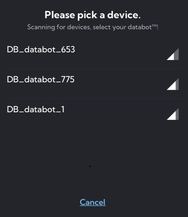
Use the new Vizeey BLE manager in your system tools to give your Databots unique ID numbers. This makes multiple student connections much easier to manage!
Experiment Manager
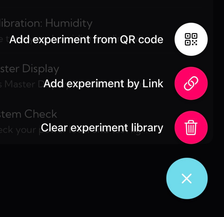
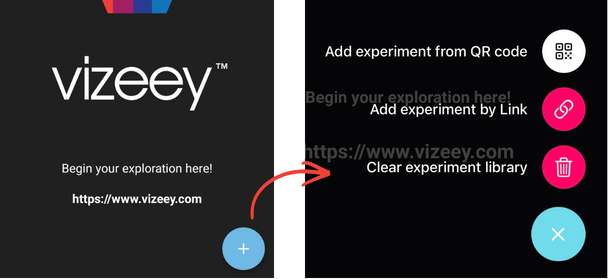
Exciting new options in your Experiment Manager make it a snap to clear your library and add new experiments. Chromebook users rejoice! You can easily add experiments by link (no QR required).
UV-A – New Experiment!
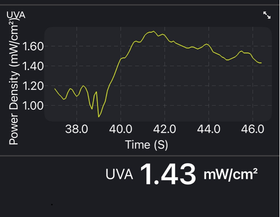
In addition to the UV Index value, students can now explore UV-A independently making it easier to explore the UV spectrum and experiment directly with materials that reduce harmful radiation from the sun.
High Speed Motion Capture
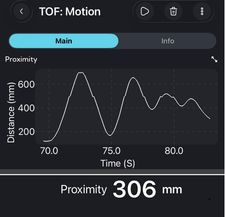
New Time of Flight experiments optimized for distance and motion expand the things you can do with this remarkable ranging sensor. Using the proximity sensor in “Motion” mode data is now captured at a rate of 40 Hz!
Your Upgrade Checklist!
Databot users, here is your new school year checklist. You are going to love the new and updated features that will make Databot even easier to use in the classroom. In addition, we have some awesome new resources for you to explore. Here is what you need to do:
FIRST – Vizeey users – update the Firmware on all your Databots. If you are a MicroBlocks user and switch back and forth, simply use our firmware page to switch from MicroBlocks to Vizeey. It will always give you the latest version of firmware.
Update Vizeey on your devices (iPads, Smartphones, Chromebooks, Tablets)
Load the New Core Experiment & System Tools Collections
ID Your Individual Databots for easier connecting in the classroom.
Explore some exciting new resources such as CODAP and our growing 3D print library.
Upgrade Steps
1. Update Your Databot Firmware
Firmware is the set of instructions loaded into Databot’s memory that defines it’s behavior with software like Vizeey. Updating the firmware on your Databot is not difficult and takes about 2 minutes per device. Your first mission in this update is to head over to the firmware page and load the newest version on to your Databot. Come back to this page when you are finished and complete your update.
2. Update the Vizeey App
Go to the Google Play Store or Apple App Store, find Vizeey, and install the latest update.
3. Clear Your Old Experiment Library
Use the new Clear Library option to remove experiments from the previous version of Vizeey. You will find these options by tapping on the “+” sign on the the main Vizeey display.
4. Install New Experiment Collections
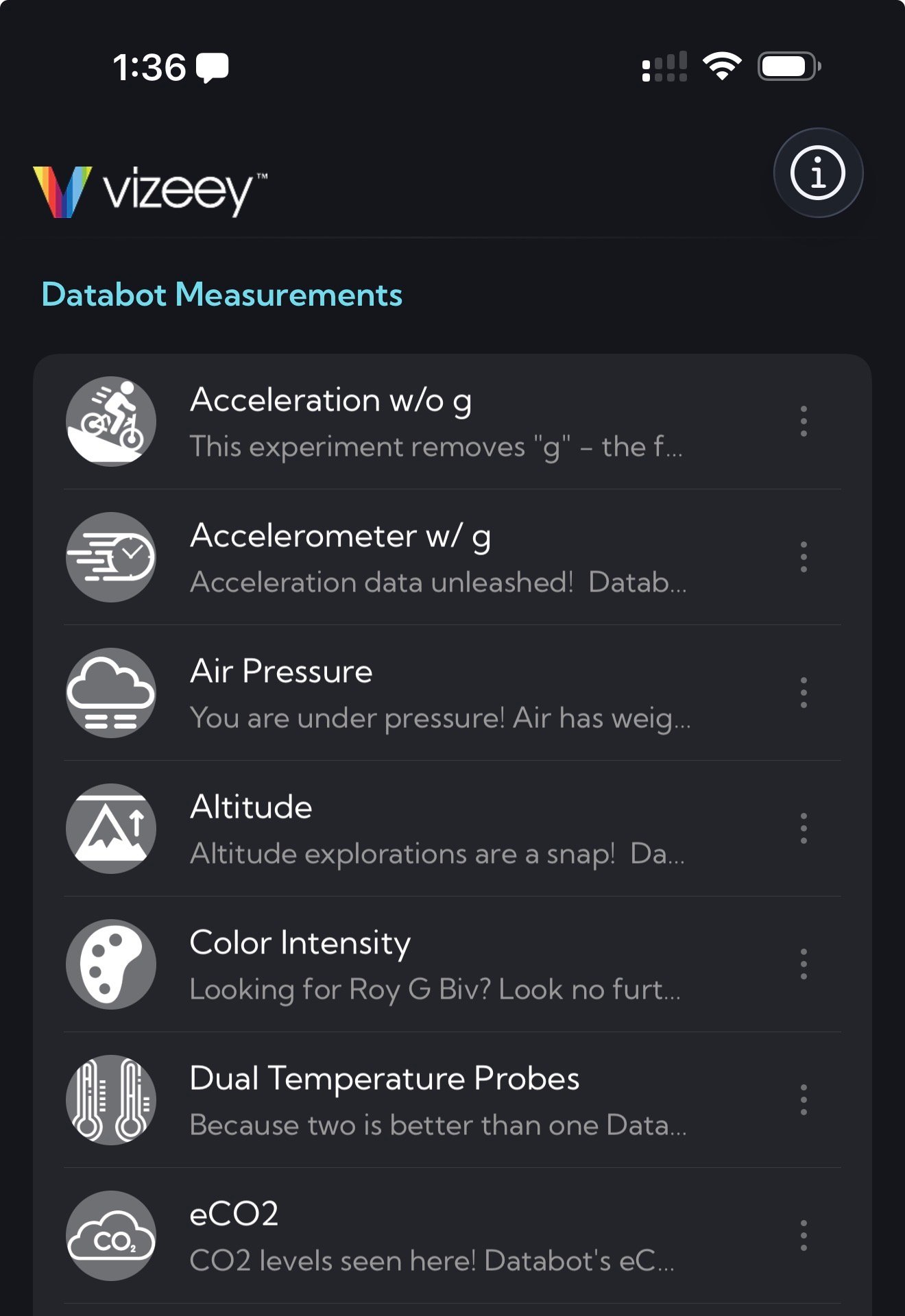
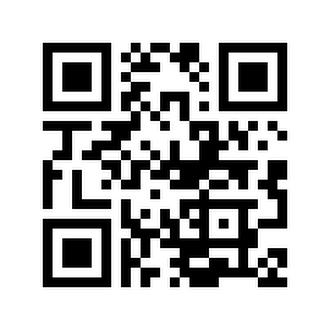
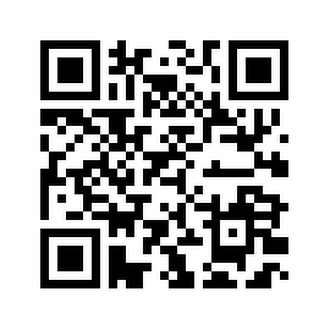
Again, selecting from your + menu, select Add experiment by QR code and scan the new QR codes shown here to load the new Databot Experiment Collection and System Tools. You will know you have the new and updated experiment collections if your icons are now showing gray.
Vizeey Core Experiment Collection
Vizeey System Tools
5. CONFIRM: You’ve Updated Your Databot Firmware
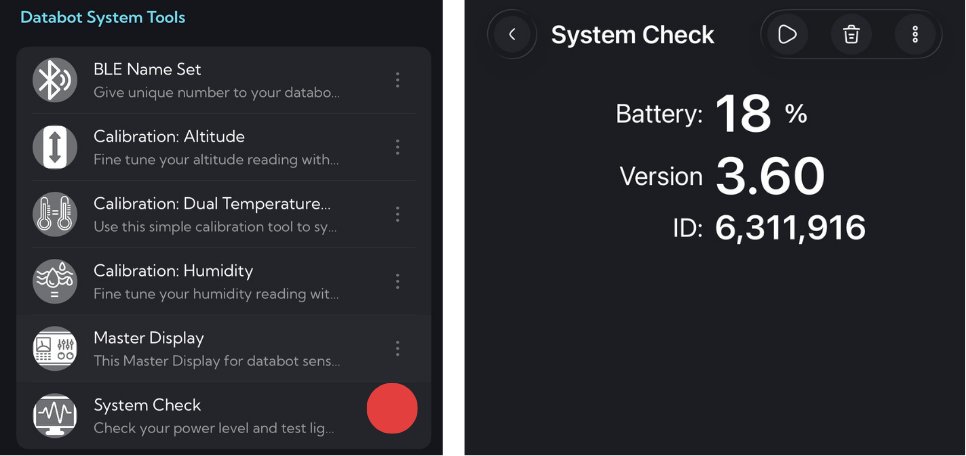
One more reminder to make sure you have updated your firmware. Using the System Tools collection you just loaded, check your firmware. If it is below 3.7 then visit the Firmware Update Page to get the latest firmware. The new firmware combined with the updated Vizeey enables some amazing new features like high speed data collection for acceleration and velocity experiments. It also gives you the ability to give your Databots unique ID numbers – you will love this new capability.
6. Setting Unique ID Numbers
Congratulations—your Vizeey and Databot system is now fully updated.
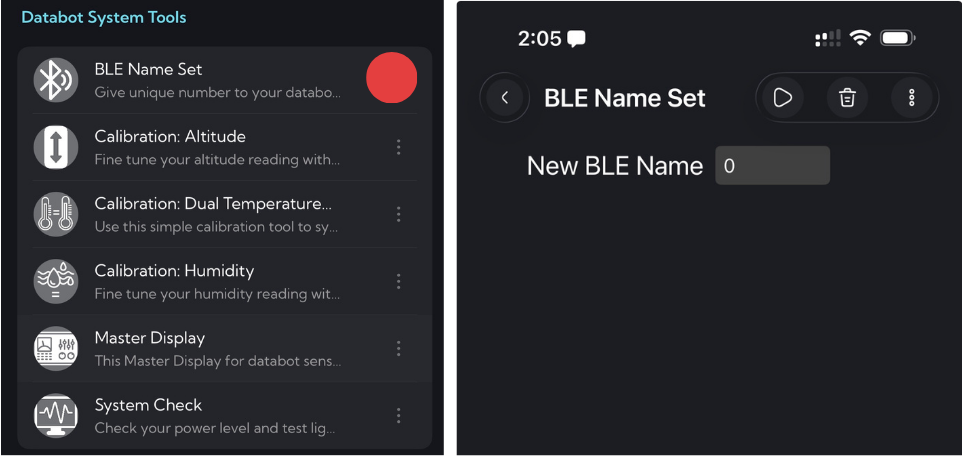
Now use the new BLE Name Set System Tool to assign a unique name or ID to each Databot. This makes it much easier to identify and connect to the correct Databot in a busy classroom.
With your Databot turned on and the blue connection light breathing, select BLE Name Set as shown.
You will be prompted to connect to your Databot as usual and the menu for setting the ID will display.
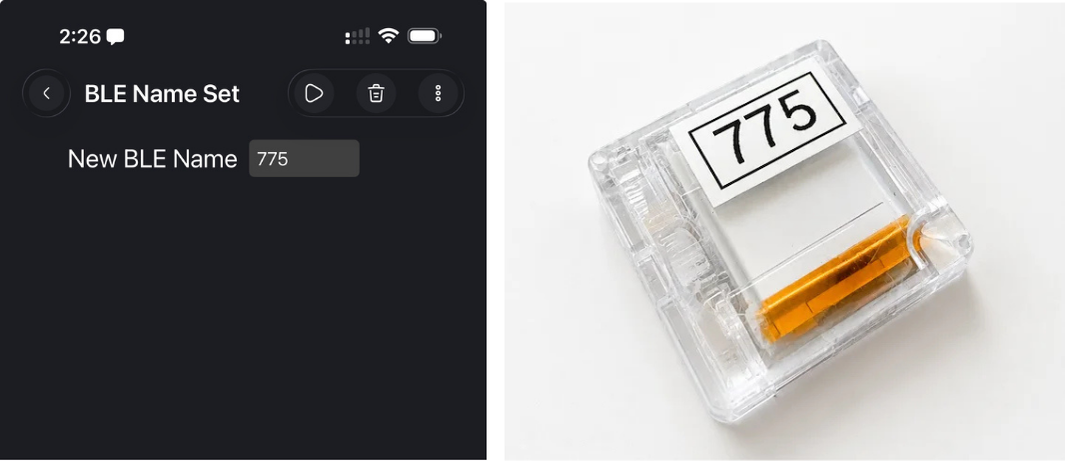
In the simple text box enter your new ID number. It must be numeric only from 1 – 999 (no letters).
Once your new number is entered into the text box tap the Vizeey Play button at the top of your screen.
Databot will flash GREEN when you update the ID so you can see it is successful.
Check your work. Exit the experiment and connect to another experiment – when you see the device display it should now show your new ID number.
Congratulations! You are upgraded and ready for the new school year with Databot. Now check out some of our exciting new resources for this year!
New Resources to Check Out
Meet CODAP
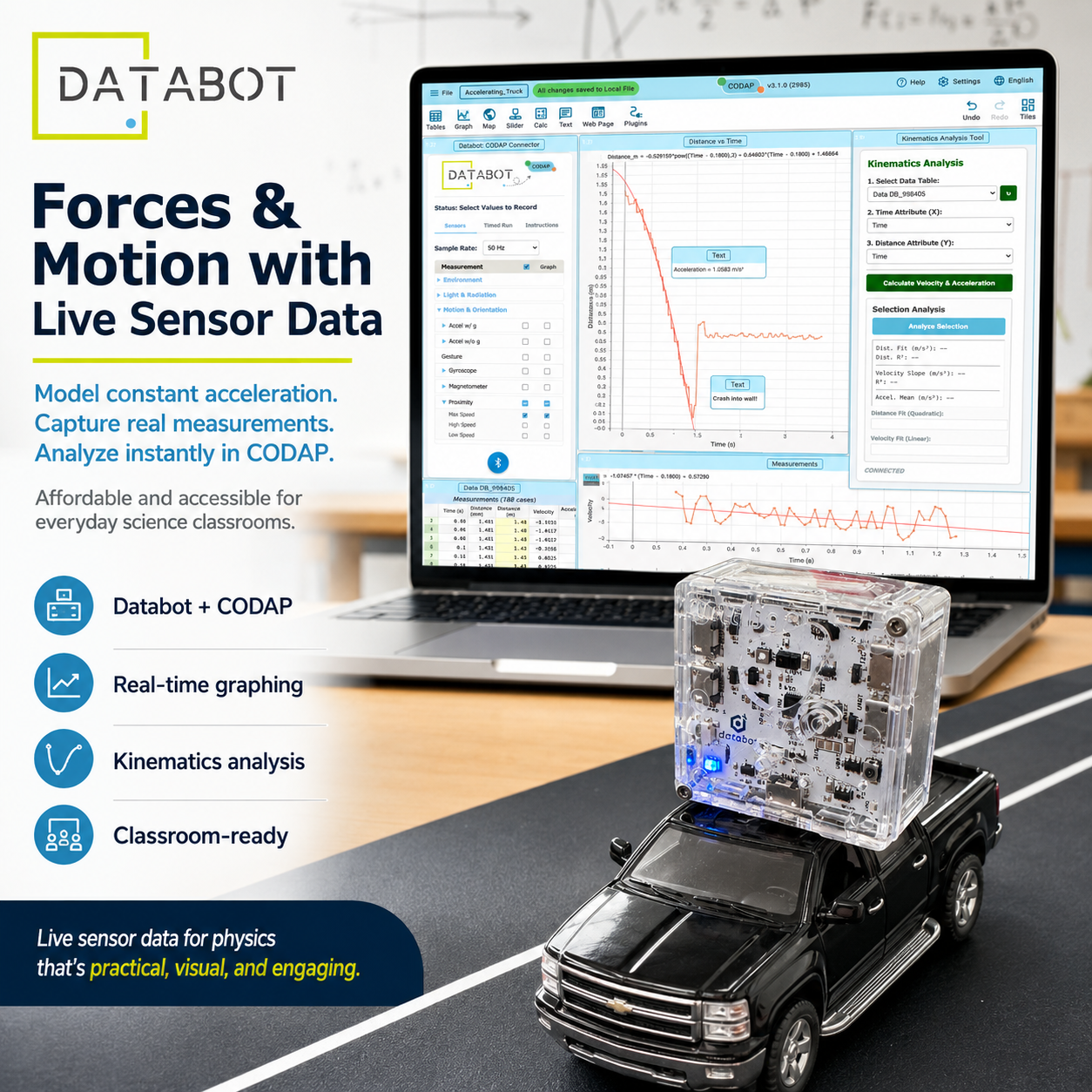
We’re excited to introduce our new integration with CODAP—a powerful, browser-based tool for exploring and visualizing real-world data with Databot. Connect your Databot and start streaming live sensor data directly into CODAP to graph variables, identify patterns, and investigate relationships.
CODAP helps students move beyond collecting measurements to actually making sense of their data—while giving educators a powerful new tool for inquiry-based science and data exploration.
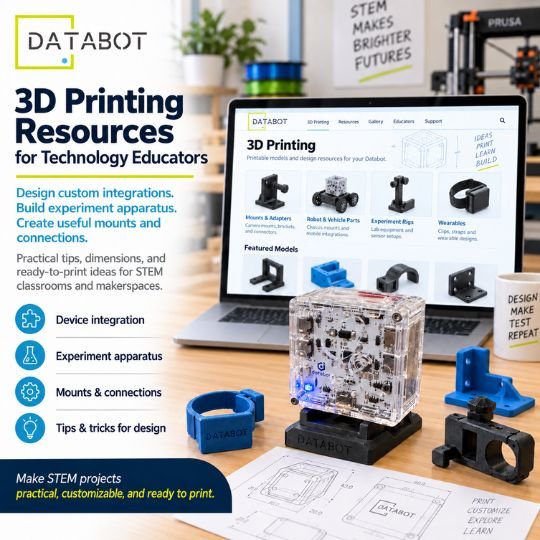
We’re excited to introduce our new 3D Printing Resources for Technology Educators—a growing collection of practical designs, experiment apparatus, mounts, adapters, and integration ideas for Databot.
These resources are designed (many contributed by educators) to help educators and makers customize how Databot is used in the classroom, from building experiment rigs and wearable projects to creating better mounts, connections, and STEM prototypes.
If any of the above information or upgrade steps are unclear, or you have another question about Databot use fill out the help form and drop us a note. We typically respond within an hour in US time zones.