Engineering in Action: Data, Code, and Creativity
For the past several years, engineering teacher Rick Stoddard has been quietly building one of the most creative, student-centered databot classrooms in Idaho. Teaching grades 6–8 at Galileo STEM Academy, Rick integrates hands-on engineering, coding, and data science into a dynamic learning environment where students design solutions, test ideas, and explore real data every day.
Rick also supports Idaho educators statewide as a technology facilitator and will teach an iSTEM strand this summer, helping teachers learn how to bring modern data tools into their classrooms.
In this first video, Rick shares how he uses databot as a flexible, powerful tool for engineering, coding, and STEM exploration.
“I use databot like a multi-tool in my classroom. It lets my students code, collect data, and explore ideas without all the extra parts.”
Coding as a Creative Hook: Turning Data Into Music
After introducing how databot functions as a multi-tool in his classroom, Rick shifts to one of his favorite ways to draw students into computer science: music coding. For many sixth graders, typing commands or working through syntax can feel distant. But with databot, coding becomes something they can hear instantly. Rick explains that music gives students immediate feedback. When a note sounds wrong, they know their code needs adjusting. When the melody plays correctly, the success is clear—and exciting.
Students start by recreating familiar melodies—Star Wars, Disney themes, and more. Then Rick introduces sensors to make the experience interactive. A simple gesture becomes a musical command. This blend of creative coding, sensors, and instant feedback turns databot into what Rick calls a “bit of magic,” giving students confidence to explore more advanced computer science ideas.
“You can code music with it… and they can hear immediately whether the code is working. My sixth graders go crazy with it. Some even come in at lunch just to keep coding their songs.”
From Launch to Landing: Connecting Real Events to Real Data
Once students are comfortable coding and using sensors, Rick pushes their thinking one step further—by connecting live data to real-world events. One of his most powerful examples comes from rocket launches in his eighth-grade engineering class.
Using databot, students write code that samples altitude and acceleration every tenth of a second during a launch. Afterward, they export the data as a spreadsheet and compare it directly to video footage of the flight.
As Rick explains, this comparison changes how students understand data.
- They can see the moment of launch in the acceleration spike.
- They can identify when the parachute deploys as the data shifts again.
- They can match what happened in the sky to what appears on the graph.
Rather than working with made-up numbers, students analyze their own data from a real event they watched happen. This tight connection between physical motion, sensor readings, and visual evidence helps students understand that data is not abstract—it is a record of reality.
This kind of experience builds skills far beyond rocketry. Students learn how to collect reliable data, organize it, and use it to explain what happened—core practices that support engineering, science, and future work with data-driven systems, including AI.
“It’s amazing what students can see when they compare real rocket footage to their own acceleration and altitude data.”
When Code Starts Talking: Wireless Communication in Action
After working with physical data from rocket launches, Rick introduces students to a different kind of invisible system: wireless communication.
In this short clip, he describes a classroom project where students coded databots to behave like “ghosts.” Each databot generated its own sound profile and then sent signals to other databots, triggering responses across the room. One ghost would activate the next, creating a chain reaction that moved like a wave.
What makes this activity powerful is that students are not just writing code—they are building a networked system. They experience how messages are transmitted, received, and acted upon, all through their own programs.
This project becomes a natural stepping stone from sensor data to communication systems, helping students understand how connected devices interact—an essential concept behind modern networks, IoT systems, and AI-enabled technologies.
“One ghost would trigger another, and it moved like a wave across the classroom.”
Building a Cell Network: How Messages Travel
In another project, Rick challenges students to explore a bigger question about wireless communication:
How does a message travel farther than one device can reach?
In this project, students simulate a cell phone network using databots as Bluetooth repeaters. Each databot receives a message and passes it along to the next, extending the signal down the hallway—one device at a time.
To make the process visible, Rick adds a visual cue. As the message moves, lights activate on each databot so students can see the signal traveling through the network. When the message finally reaches the last device, students read the transmitted data and confirm successful delivery.
Rather than learning about cell towers from a diagram, students experience the logic behind them. They see how range limits, repeaters, and message passing work together to move information across distance.
This activity connects directly to real-world systems students use every day—from mobile phones to WiFi networks—and reinforces a core idea behind modern computing: data moves through systems, not magically, but step by step.
“We made repeaters down the hallway so one signal could travel the entire length—just like a cell phone network.”
Always Finding the Next Idea
To conclude, Rick describes a project he calls “The Hands of an Angel.” In this challenge, students must carry a databot with extreme care. Using the accelerometer and tilt sensors, the device detects even small movements. Only when students move slowly and steadily does the databot respond—unlocking the next part of the activity.
What matters most is not the specific challenge, but what it represents. For Rick, this project reflects how databot fits into his teaching overall. He does not use it for a single unit or short activity. Instead, it remains part of his classroom year after year because it continues to support new ideas, new questions, and new forms of learning.
As he puts it, the most powerful part is that he keeps discovering new ways to use the same tool—often inspired by student curiosity and classroom conversations.
“I keep thinking of new ideas and new ways I can use databot—and that’s the coolest part.”
Learn about databot here
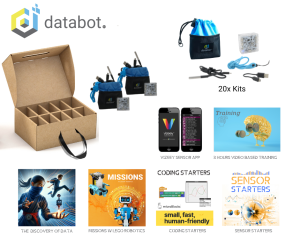
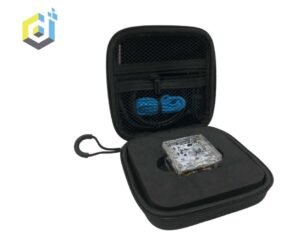
Click on any product configuration for details!
-
-
-
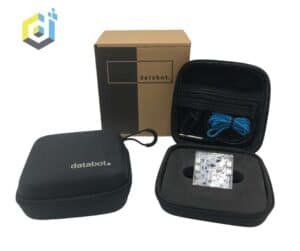 databot
databot – Twin Pack
$375.00 Select options This product has multiple variants. The options may be chosen on the product pageRated 0 out of 5 -
 databot
databot – Class Pack
$1,850.00 Select options This product has multiple variants. The options may be chosen on the product pageRated 0 out of 5